

Price check items without leaving the game
Evaluate is PoE Overlay's in-game price checker. Hover over an item and open Evaluate to get an instant estimate, then refine the prepared trade search when you need a closer comparison.
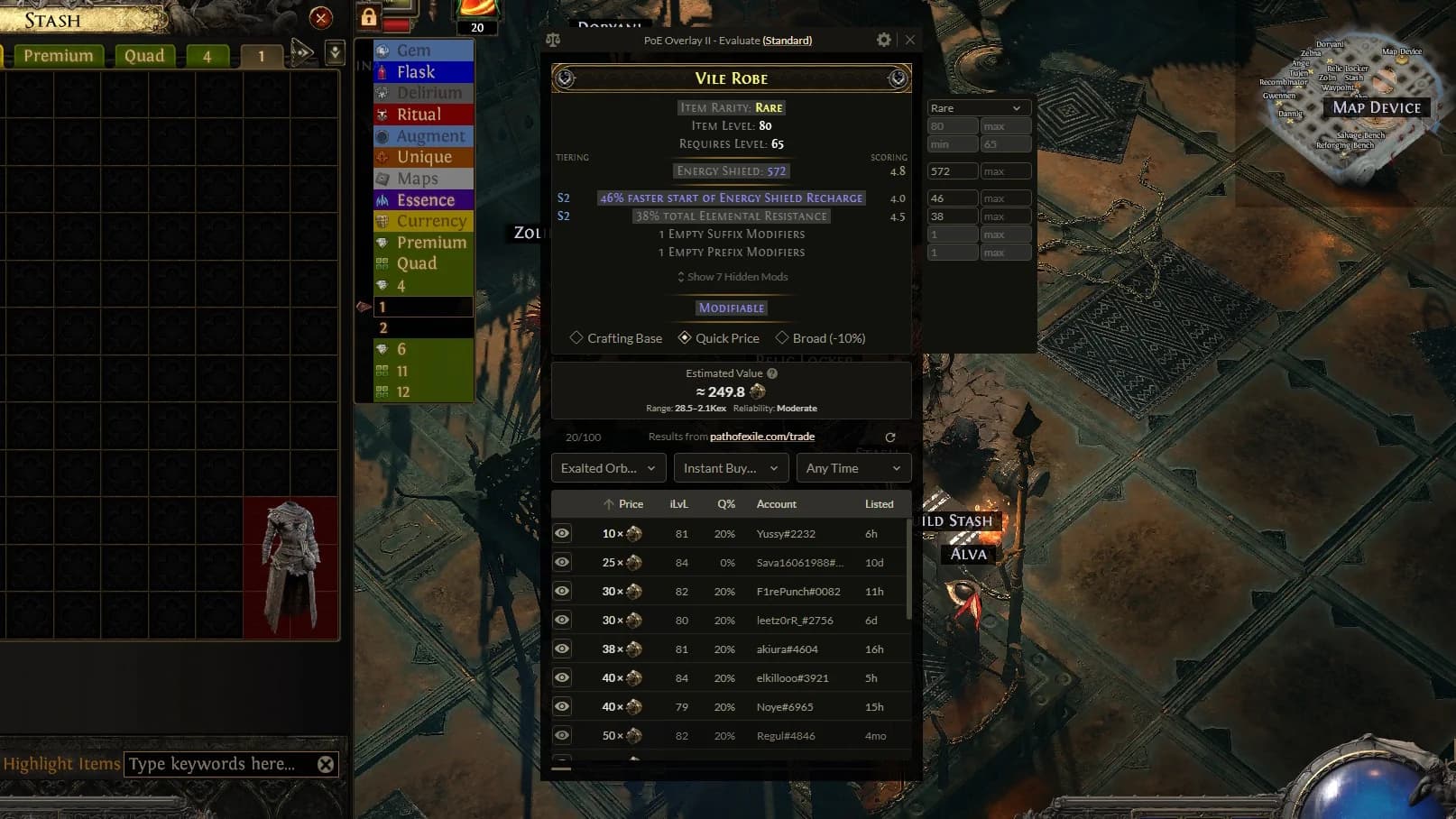
How it works
1. Open the item check
Hover over an item in-game and use your configured Evaluate hotkey.
2. Get an instant estimate
See the current exchange price or an estimated item value.
3. Refine when needed
Open the prepared query, switch pricing profiles, and compare relevant trade listings.
Different items, different pricing
Currency Exchange items
Items without variable modifiers or rolls are straightforward to compare. PoE Overlay reads their current Currency Exchange value directly, and Market History shows how their price and supply have moved.
Crafting bases and equipment
Base type, item level, rarity, modifiers, and the crafting options available in each game can all matter. Evaluate starts with a useful query for the kind of item it detects.
Unique items
Unique prices often depend on modifier rolls. Some uniques can also have different modifier combinations, making the exact version and its rolls important in both games.
Instant item and stash price estimates
For items outside the Currency Exchange, a machine-learning model trained on real sales estimates their value without querying the trade website first.
Stash Tracker uses these estimates to value many items without querying the trade site for each one.
Every prediction is an estimate, not a guaranteed sale price. Use it as a fast first pass, then inspect unusual or valuable items more closely.
Crafting bases work differently in PoE 1 and PoE 2
Path of Exile crafting bases
In PoE 1, you can return a rare item to normal rarity. A valuable base can therefore retain its crafting value even when it is currently magic or rare.
- Base type and item level remain important
- Influences, implicits, and fractured modifiers can matter
- Current rarity does not erase the underlying base value
Path of Exile 2 crafting bases
In PoE 2, a magic or rare item cannot be returned to normal rarity. A good normal base is therefore more valuable for crafting than the same base after its rarity has been upgraded.
- Normal, magic, and rare bases are searched separately
- Item level and relevant base properties still matter
- The initial query preserves the item's current rarity
Useful trade queries from the start
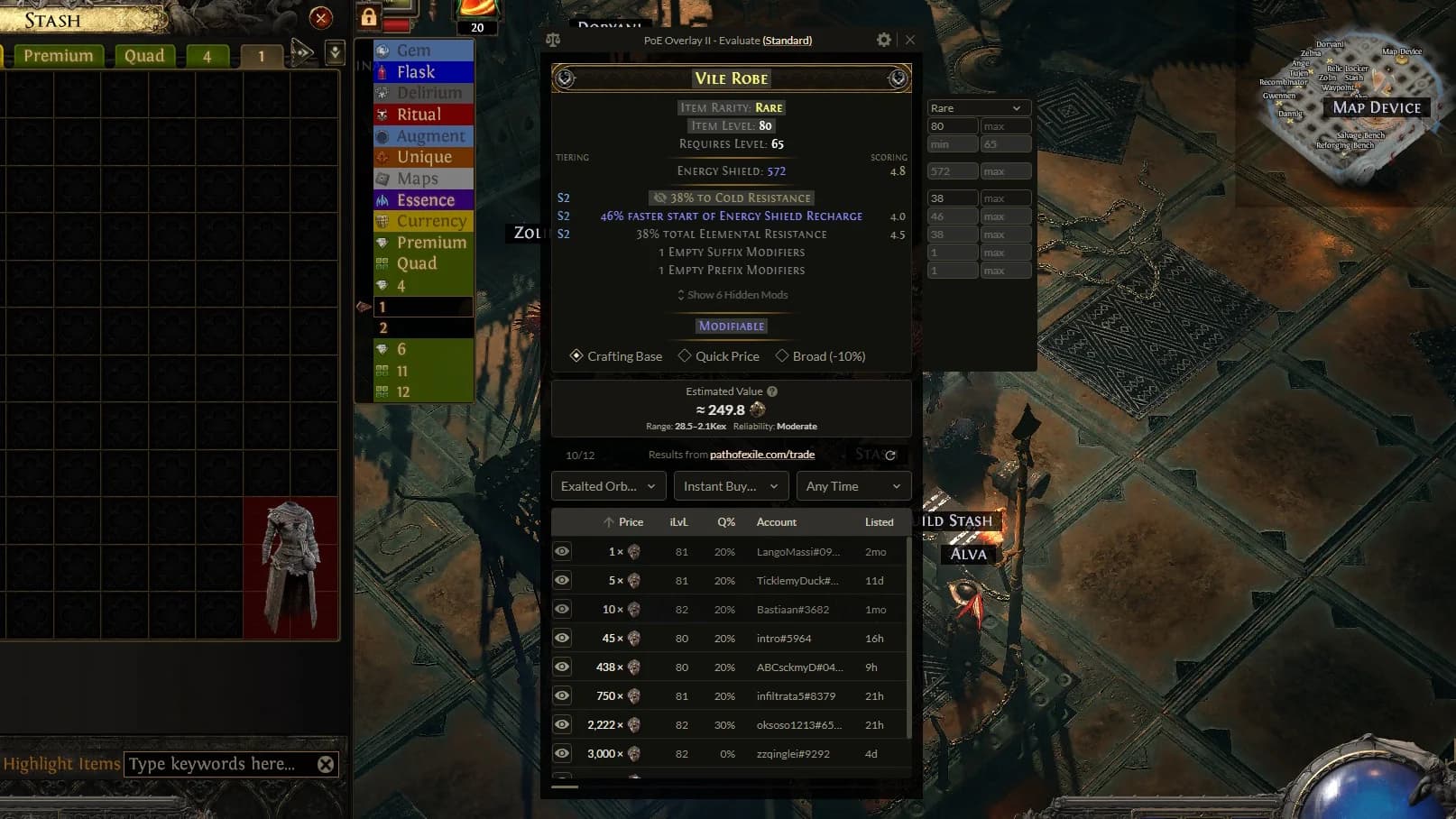
Evaluate prepares a query for the item it detects. If it looks like a crafting base, the Crafting Base profile searches its base properties without valuing its random modifiers.
Switch to Quick Price, Exact Match, or Broad and the relevant modifiers carry into the new search. You do not need to select every stat again.
Hand-tuned rules also set the right range direction for each modifier. Some rolls are better higher and others lower, so Evaluate applies the useful minimum or maximum for you.
No starting query is perfect for every item, but this gives you a useful query to refine instead of rebuild.
Current prices and Market History
For Currency Exchange items, a current price is only part of the story. Market History shows recent price, quantity, and movement so you can see whether a market is stable, rising, or falling.
View Market History